

































Set working hours
Tell EasyHours how many hours a normal day has, and how much each person works, so overtime and missing hours add up.
EasyHours compares the hours people work with the hours they should work, for example to show days that are short. Owners and admins set this up on the web. Overtime also depends on your company’s overtime rules: see Overtime and comp time.
How EasyHours knows someone’s normal hours
To know how many hours someone should work on a day, EasyHours uses the first of these that’s set:
- Their regular workweek: the days and times they normally work, for example Monday, Wednesday and Friday, 06:00–14:00.
- Their contracted hours per week, for example 22.5 hours, spread over the company’s working days.
- The company’s standard day, five days a week.
So for most companies: set the standard day once, then add contracted hours or a workweek for part-time staff and anyone who works unusual days.
Set the company’s standard day
- Go to Settings → Working hours.
- Enter the Standard hours per day, for example 7.5 or 8.
- Click Save changes.
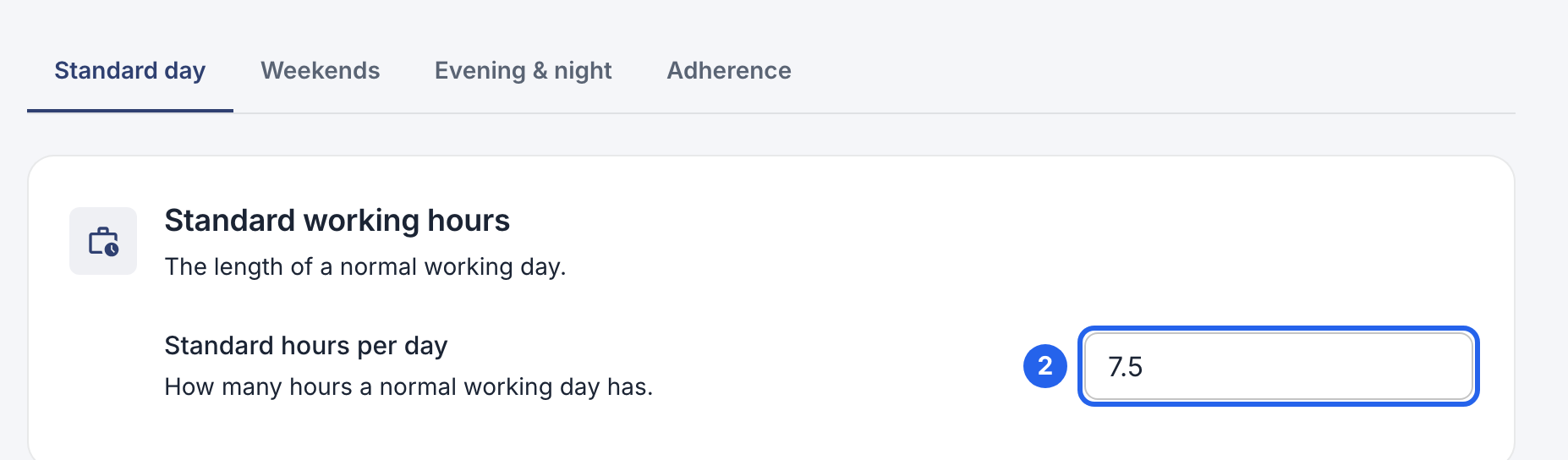
2 The length of a normal day. Your country’s usual week is filled in when you create the company.
The Weekends tab sets which days are the weekend.
Set one person’s hours
- Open Employees, click the person, and open the Profile tab.
- Under Employment terms, you see their contracted hours, holiday days and whether they get overtime.
- Click Edit terms, change them, and click Save terms.

3 Edit terms.
Set the days someone normally works
- On the same Profile tab, click Edit workweek under Regular workweek.
- Turn on the days they work, and enter the start and end times and the break in minutes.
- Click Save workweek.
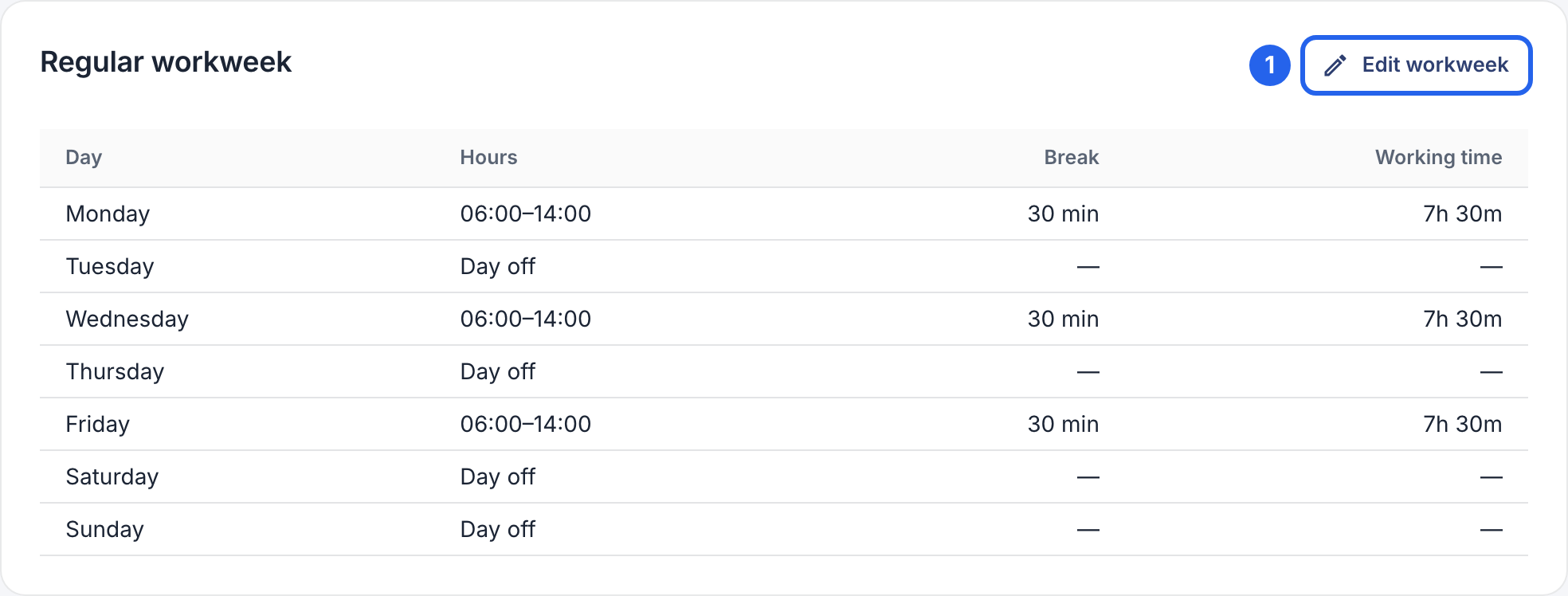
1 Edit workweek. Tom works three days a week, so his workweek has three days. It also fills in new shifts when you plan schedules.
When hours change
Someone going from full time to part time from next month?
- Click Edit terms, then Add a change.
- Choose the date it starts, and enter the new Hours / week.
- Click Save terms.
The old hours keep applying to the time before that date, so earlier weeks still add up. If they have a regular workweek, update it too, because it comes first.