

































Get started as an employee
Get the app, sign in and join your company, so you can clock in.
Your employer uses EasyHours to record working hours. To get started you need the app, your email address, and in most cases a company code from your manager or admin.
Join your company
In the app
- Download EasyHours from the App Store or Google Play (or go to easyhours.com/download).
- Open the app, enter your email and tap Send code.
- Enter the 6-digit code we email you. There’s no password.
- Type your name and tap Continue.
- Add a photo so colleagues recognise you and tap Continue, or tap Skip for now.
- Tap Join my company.
- Enter the company code. When your company’s name appears below it, tap the button to join.
- Tap Start tracking time.
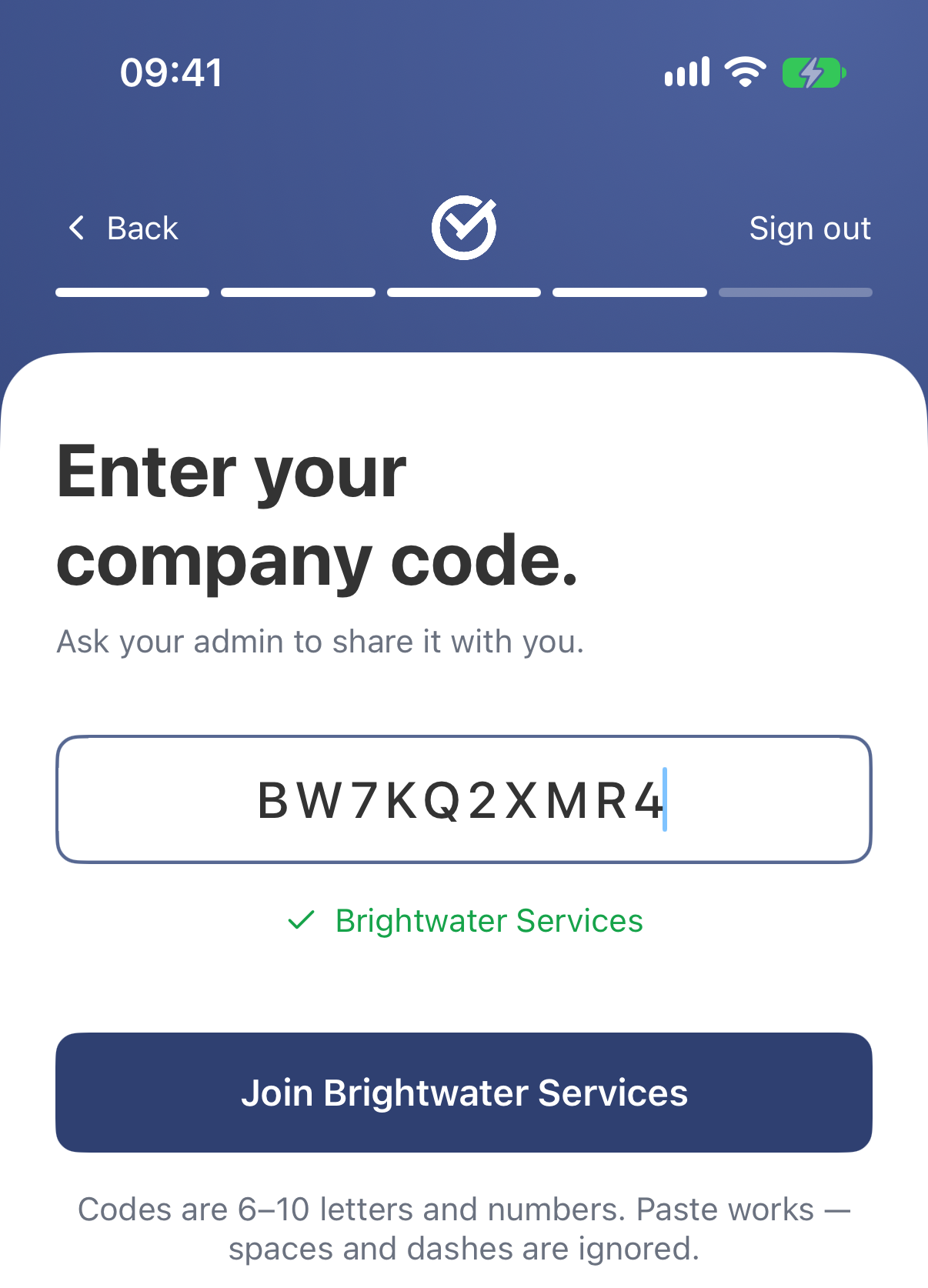
The app shows the company’s name once the code is right.
On the web
- Go to app.easyhours.com.
- Enter your email and click Continue with email.
- Enter the 6-digit code we email you. There’s no password.
- Type your name and click Continue.
- Choose Join my company.
- Enter the Company code. When your company’s name appears, click the button to join.
Allow notifications and location
When you’ve finished setting up, the app asks to send you notifications. Tap Enable notifications, then allow them when your phone asks. You’ll get a reminder when you forget to clock out, and news about your schedule and leave.
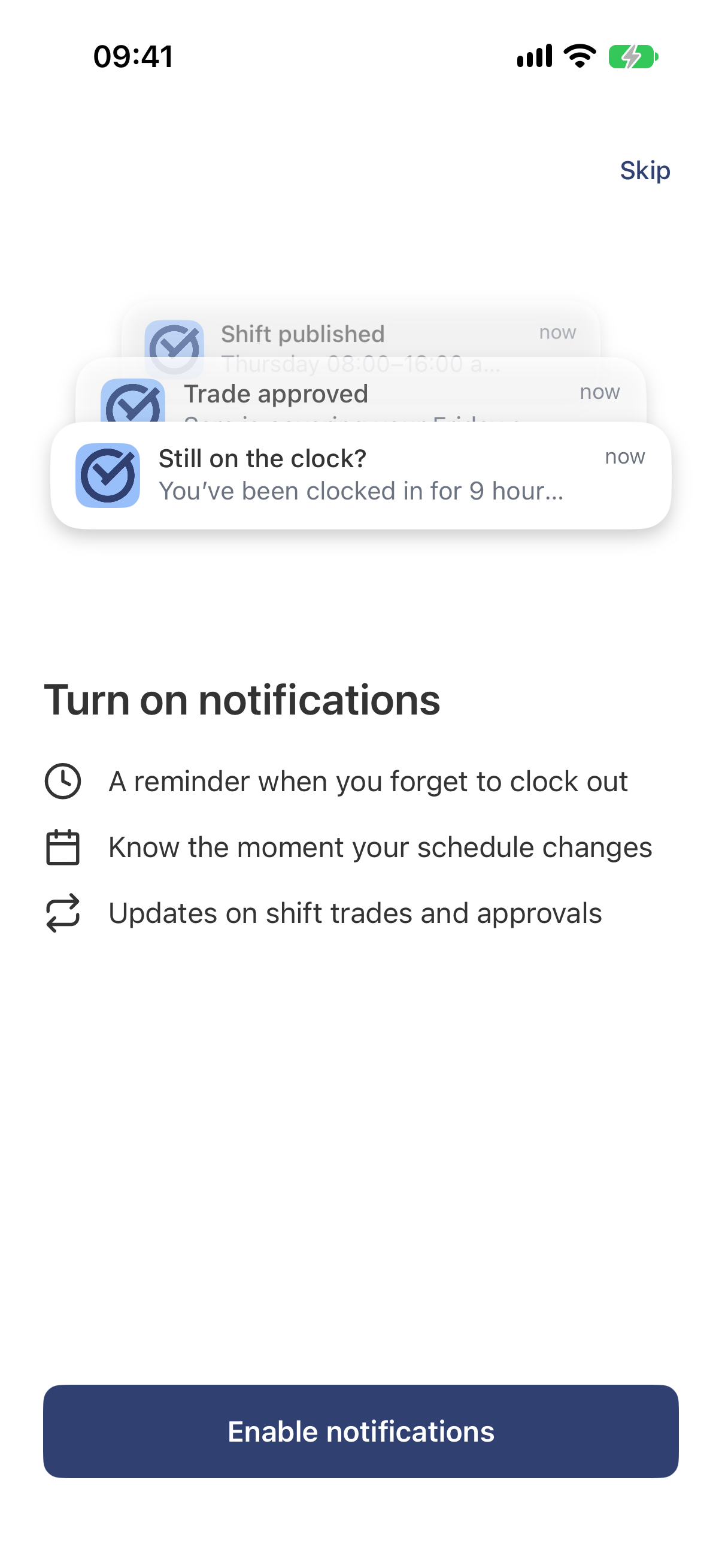
You can change this later in your phone’s settings.
When you clock in the first time, your phone may ask for your location. If your company checks where you clock in, allow it (on an iPhone: Allow While Using App). Your location is saved with your clock-ins, clock-outs and breaks. EasyHours doesn’t follow you during the day.
You’re ready
Now you can clock in: see Clock in and out.
If it doesn’t work
- “No company with that code”: check the code with your admin. Capital and small letters matter, so copy and paste it if you can.
- The company has no free seats: your admin needs to add a user to their plan. Try again after that.
- The code email doesn’t arrive: see Sign in to EasyHours.
- You set up your own company by mistake: if you haven’t chosen a plan for it, you can move into your employer’s company. In the app, tap More, then your name at the top, then Join another company, and enter their code. Otherwise, email us and we’ll sort it out.