

































Set up EasyHours for your company
Create your company in EasyHours and choose a plan, so your team can start tracking time.
Create a company in EasyHours to become its owner and set it up for your team. You can do it on a computer or in the phone app.
Create your company
On the web
- Go to app.easyhours.com.
- Enter your work email and click Continue with email. There’s no password: we email you a 6-digit code.
- Enter the code from the email.
- Type your name and click Continue. A photo is optional.
- Choose Set up a new company.
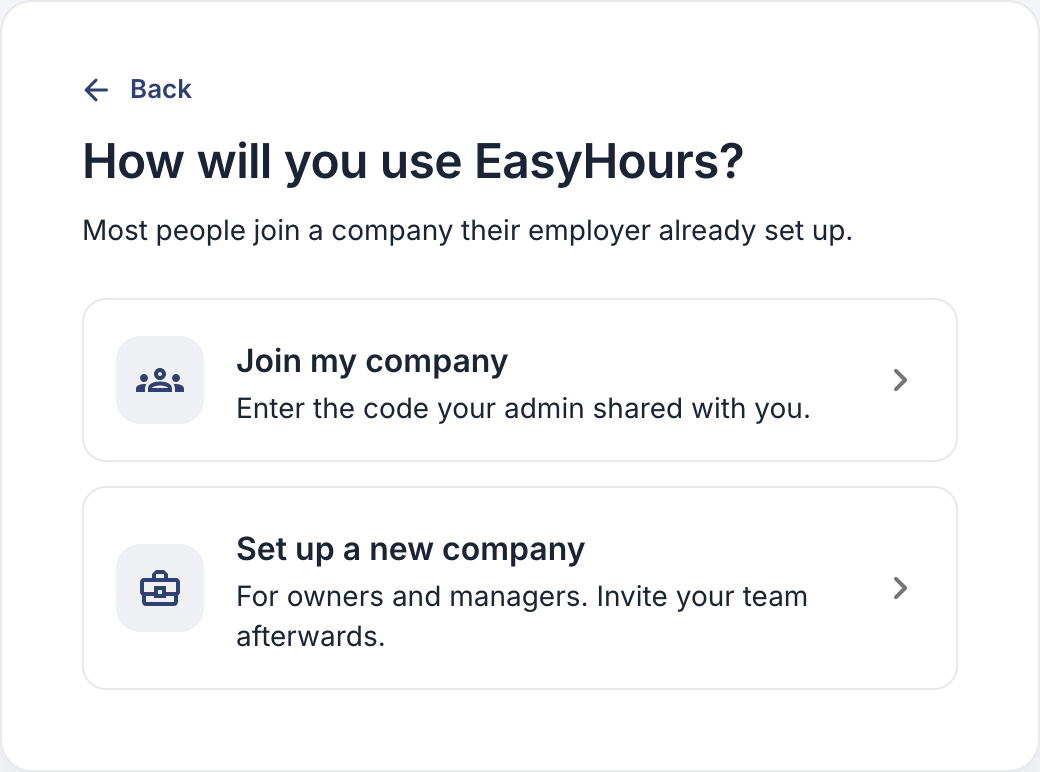
Choose Set up a new company, not Join my company.
- Enter your Company name and how many people will use EasyHours. Count yourself, admins and managers too.
- Choose your Country. It sets your public holidays and normal working week. If a region field appears, choose your region to get its holidays as well.
- Click Create company.
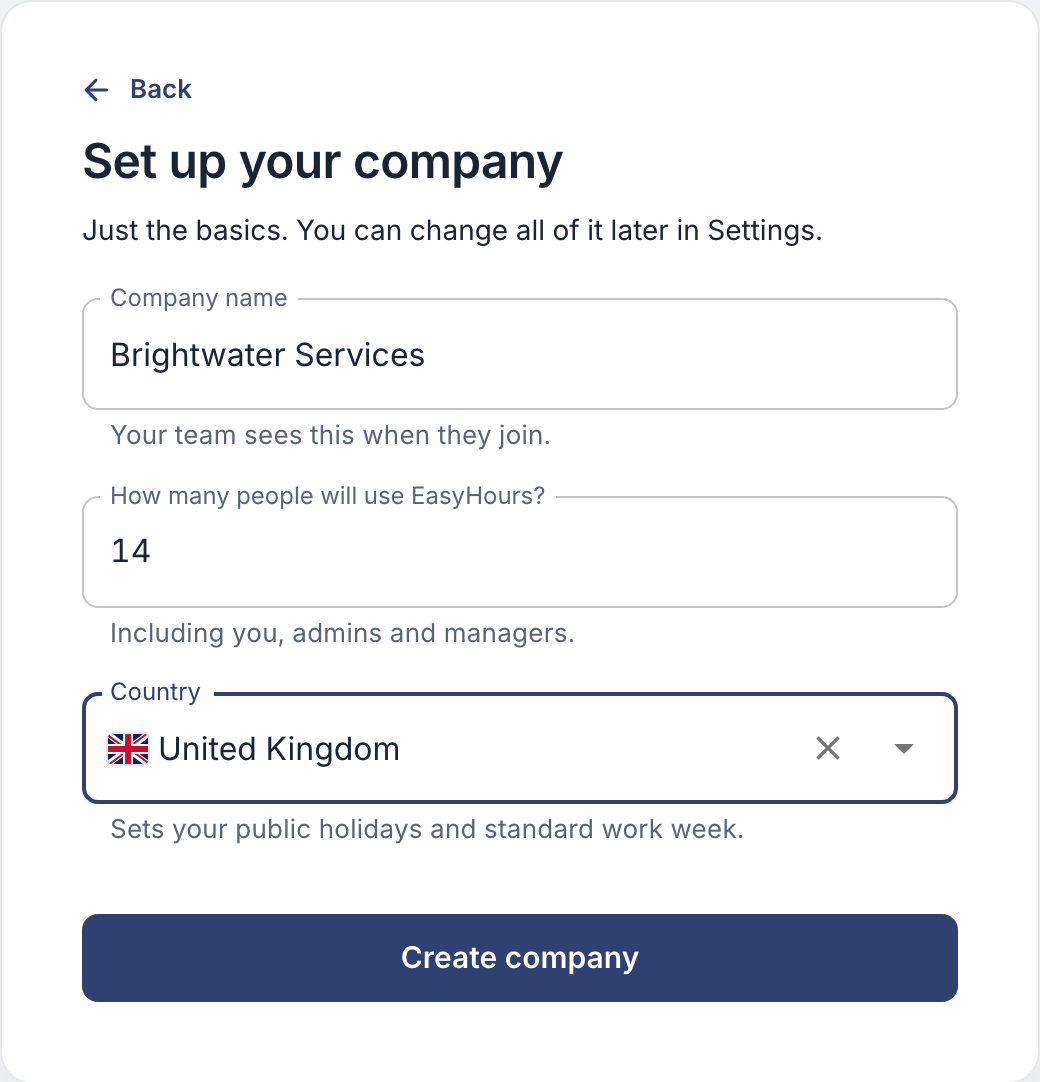
You can change all of this later in Settings.
In the app
- Download EasyHours from the App Store or Google Play, and open it.
- Enter your work email, then the 6-digit code we email you.
- Type your name and tap Continue. Add a photo, or tap Skip for now.
- Tap Set up my company.
- Enter your company’s name and choose your country. If a region appears, choose it to get its public holidays as well.
- Tap Create company. Add your logo, or tap Skip for now.
- The last screen shows your company code. Your team uses it to join, so keep it handy. Tap Go to EasyHours.
You start on the free plan. To add your team, choose a plan on the web, as described below.
Choose a plan
On the web, EasyHours asks how you want to continue. You can also do this later, under Settings → Billing.
Try EasyHours free with your team:
- Choose how often you want to pay: monthly, yearly or every 2 years.
- Set the number of users. Everyone who signs in counts, including you.
- Click the button to start your free trial: 14 days with monthly payment, 30 days otherwise.
- Choose to pay by card, or by invoice where that’s offered, and fill in your billing details.
Nothing is charged during the trial. When it ends, your subscription starts unless you cancel before then.
Or look around on your own first: click Explore for free. EasyHours is free for one person, and you can choose a plan when you’re ready to add your team.
What to do next
- Add your employees, or share your company code so they can join.
- Check the normal working hours: Set working hours.
- Check your public holidays: Public holidays.
- Decide whether you want to approve hours: Approve hours.
- Using a shared tablet at the entrance? Set up a kiosk.