

































Request leave
Ask for vacation, sick leave or other time off, and follow your request until it's approved.
You ask for leave in EasyHours, and your manager or an admin approves it. Your company decides which kinds of leave you can choose.
Send a request
In the app
- Tap More, then Absences & time off. At the top you see how much vacation you have left.
- Tap Request leave.
- Choose the kind of leave, and the first and last day. Weekends and full-day public holidays are left out unless you switch them on.
- Only part of a day? Tap the day under Days, choose Part of day, and set From and To.
- Add a note if it helps, and tap Submit.
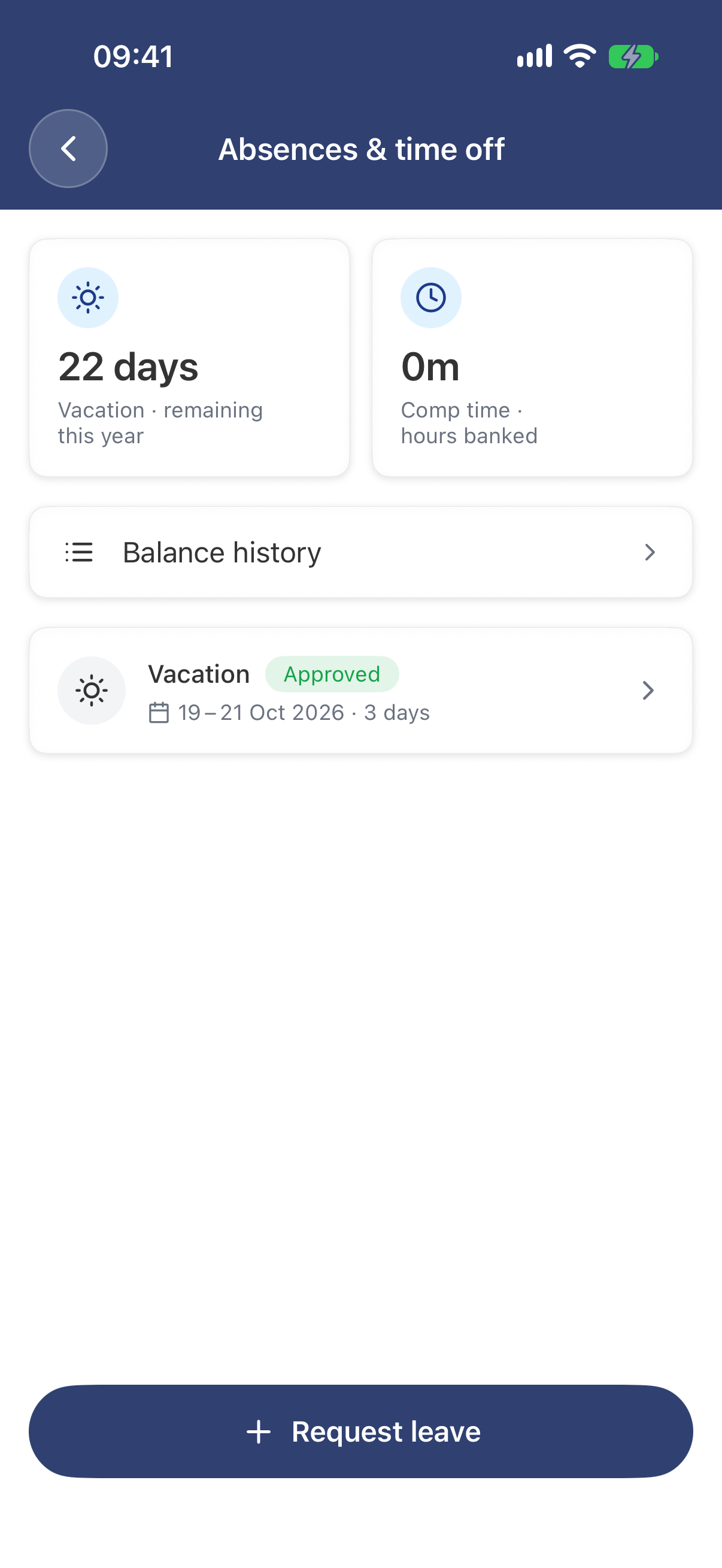
Your balance, your requests, and Request leave at the bottom.
On the web
- Open My leave in the menu.
- Click Request leave.
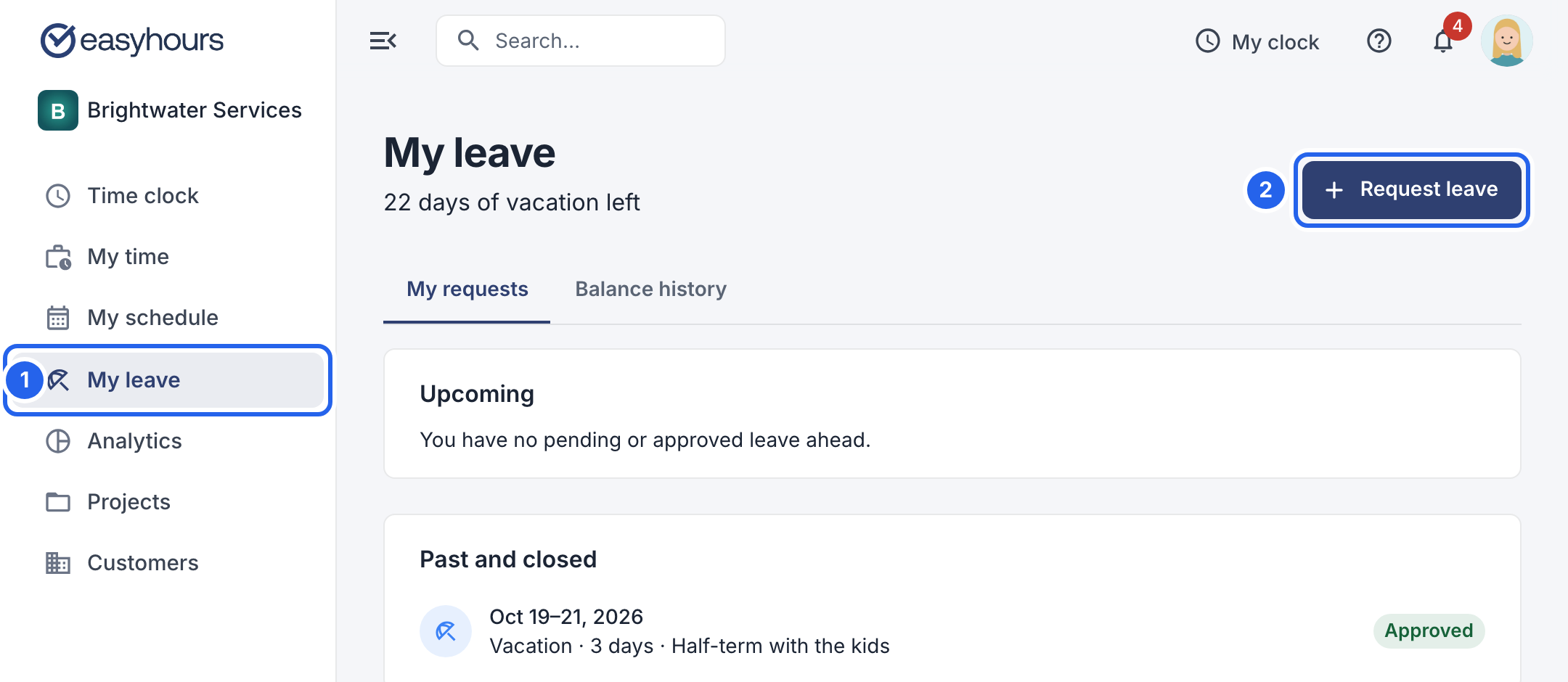
1 My leave. 2 Request leave. Your vacation balance is shown at the top.
- Choose the Leave type, for example Vacation or Sick leave.
- Pick the First day and the Last day. Weekends and full-day public holidays are left out unless you turn on Include weekends or Include public holidays. The number of days is shown below. Only part of a day? Click Adjust days, change the day to Part of day and set the times.
- Add Notes if it helps the person who approves it.
- Click Send request.
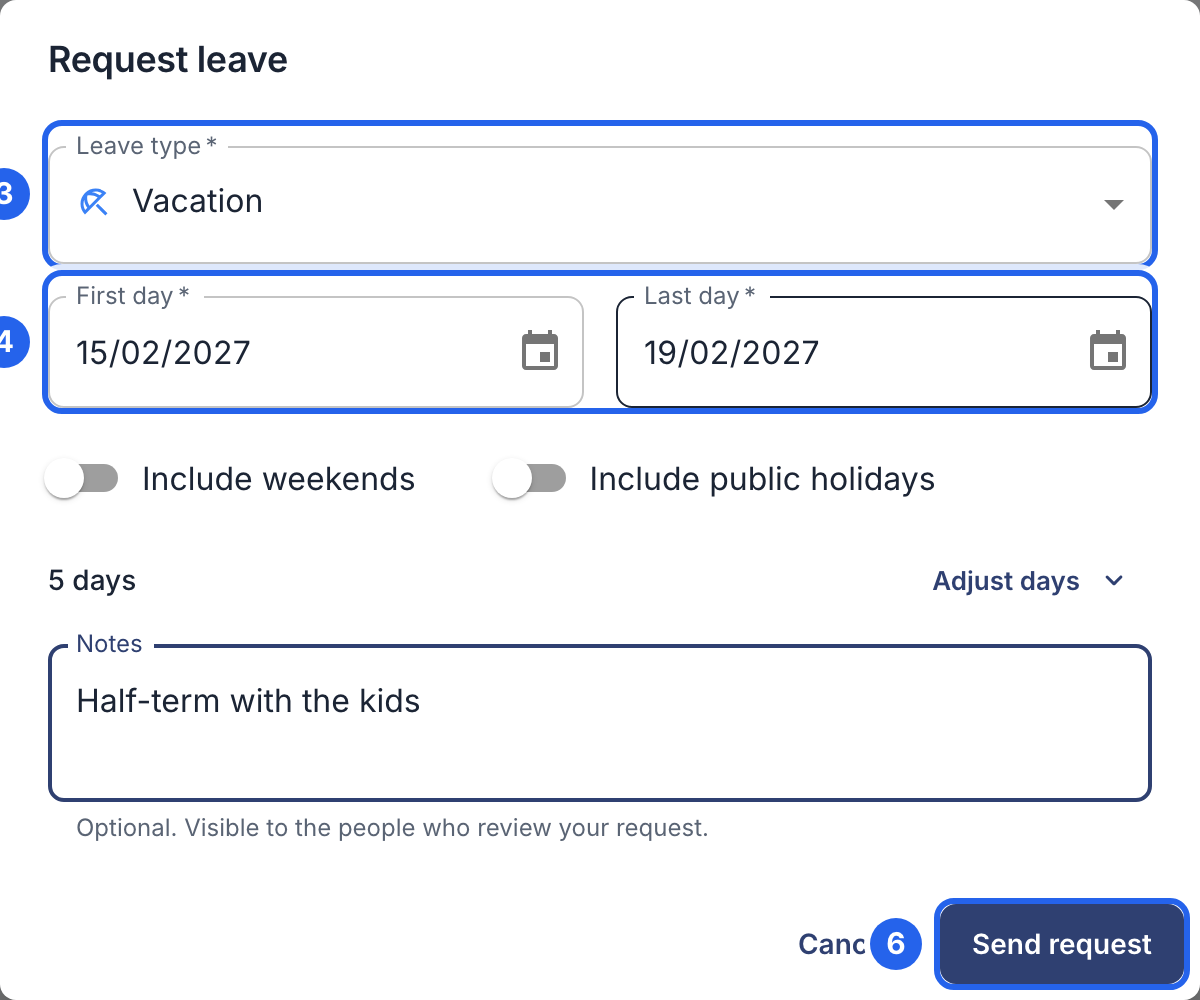
3 The kind of leave. 4 The first and last day. 6 Send request.
Follow your request
Your request shows as Pending until someone decides. It then changes to Approved or Rejected, and you get a notification. If they wrote a note, you see it when you open the request.
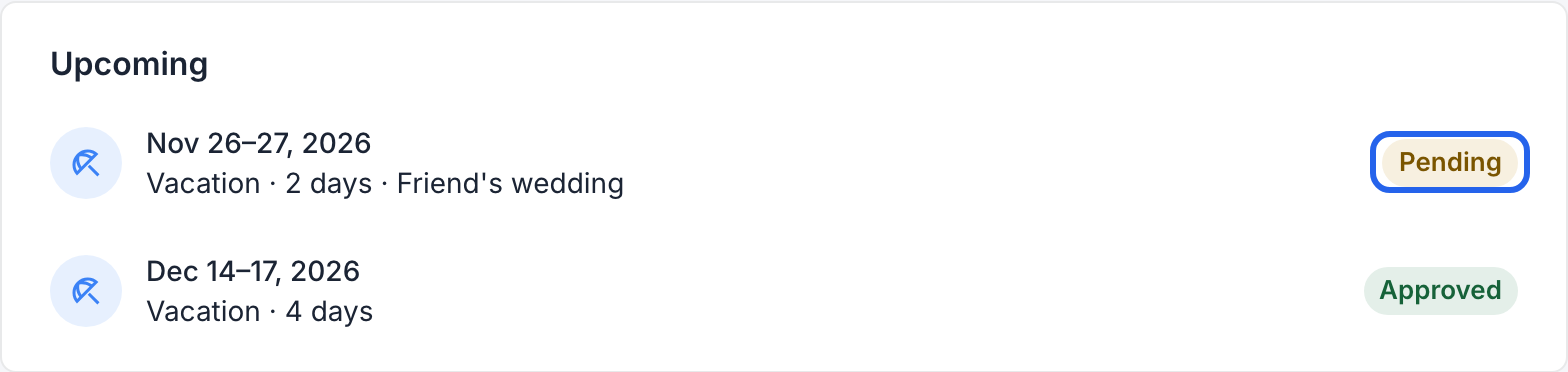
A request waiting for a decision, and one that’s approved.
You can’t ask for a day that’s already covered by another pending or approved request, even for different hours.
Change your mind
While a request is pending, open it and cancel it (Cancel leave), then confirm. Once it’s approved, ask your admin to cancel it; the days then go back to your balance.