



























Public holidays
Choose your country's holiday calendar, turn single holidays on or off, and add your own days off.
EasyHours knows the public holidays of your country, so nobody needs to work or take leave on them. Owners and admins choose the holidays and add company days off on the web.
Check your holidays
- Go to Settings → Leave & holidays → Holiday calendar.
- Under Public calendars, check that your country is chosen. Some countries have regions with their own holidays, such as England (GB-ENG) or a Swiss canton (CH-ZH). To use your region, select it and deselect the whole country.
- Look through this year’s holidays. Turn off a holiday your company works on, or turn on one that’s off, such as Easter Sunday. Your choice also applies in the years after.
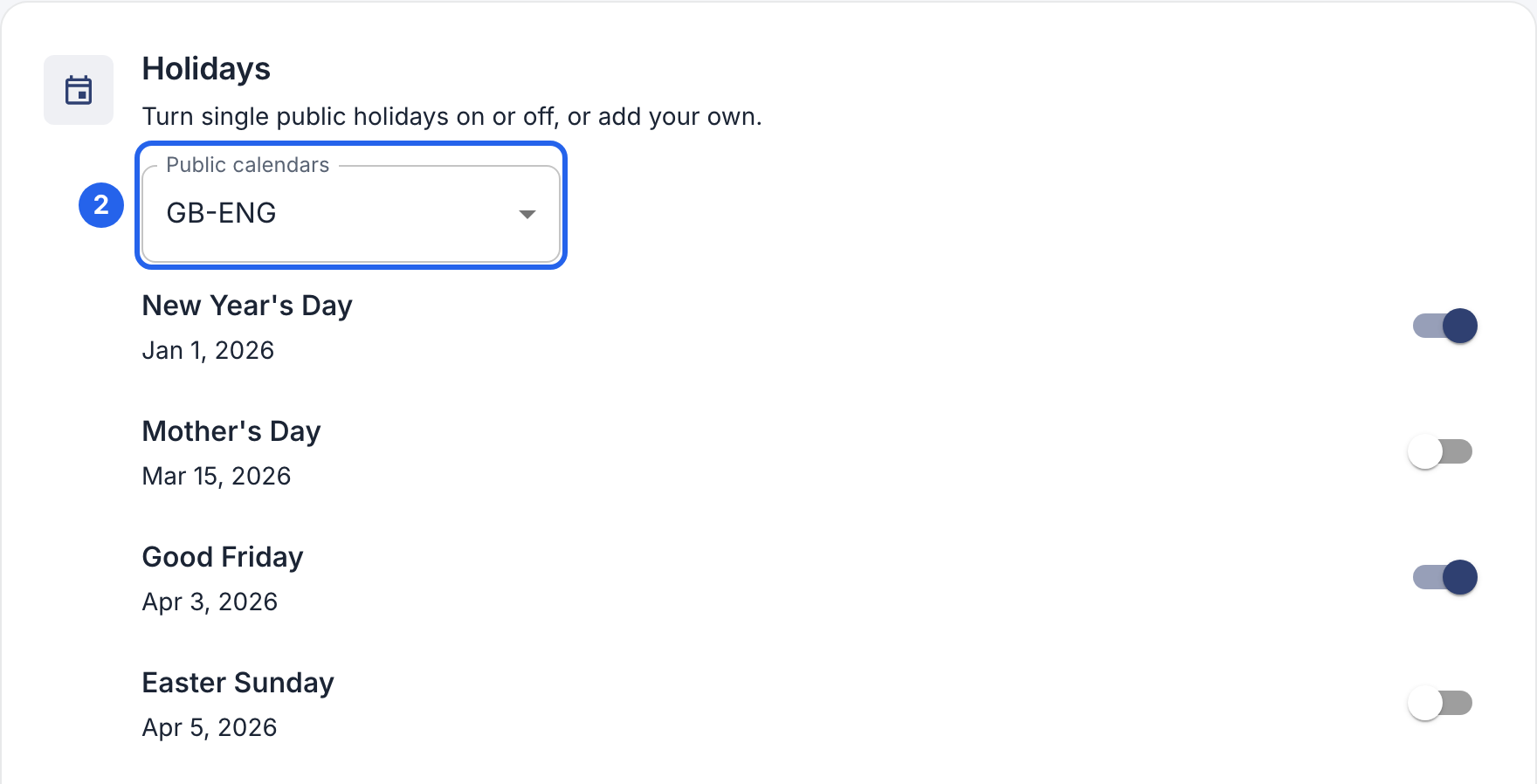
2 Your country’s calendar. Each holiday has its own switch.
Usual public holidays are on from the start. Days that aren’t days off everywhere, such as Mother’s Day, start off. Employees whose own country (in their profile) differs from the company’s get their own country’s holidays.
Add your own day off
For a day your company closes, such as a company outing:
- Click Add custom holiday at the bottom of the list.
- Enter a name and the date. Turn on Repeat yearly for a day that comes back every year.
- Leave Required working hours at 0 for a whole day off. For a half day, enter the hours people still work, for example 4.
- Click Save changes.
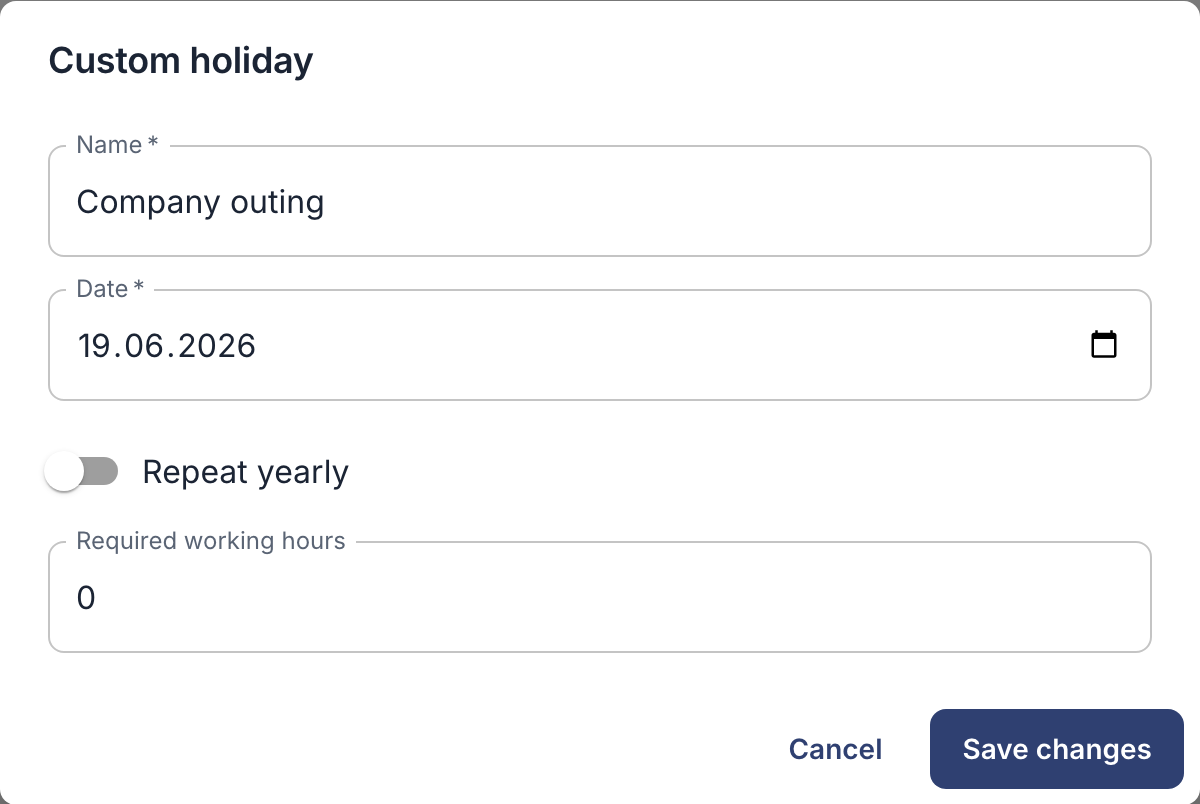
After saving, you can only change the hours. To change the name or date, remove the day and add it again. On a date that’s already a public holiday, the public holiday counts.
What holidays change
- Expected hours: nobody is expected to work on a full-day holiday, so it doesn’t count as missing hours. On a half day, people are expected to work at most the hours you set.
- Leave: a leave request skips full-day holidays, so they don’t use up vacation days.
- Overtime: if your company pays extra for work on holidays, set it up under Overtime → Weekends & holidays. See Overtime and comp time.
- Shifts: Copy last week doesn’t give people shifts on full-day holidays.
Employees see holidays in their schedule, on the web and in the app’s Calendar. The app can’t change holidays.