

































Set employee kiosk PINs
Give each employee the 4-digit PIN they use to clock in at a kiosk.
Each employee uses their own 4-digit kiosk PIN. They tap their name on the kiosk before entering it.
- In the EasyHours web app, open Company, then Kiosks, and click Employee PINs.
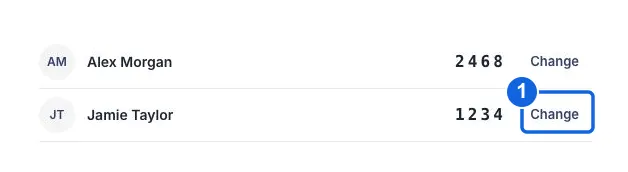
- Find the employee. To set or change their PIN, click Set PIN or Change beside their name.
- Enter four digits in Four-digit PIN, and the same digits in Confirm PIN.
- Click Save PIN, and give the PIN to the employee privately.
Give at least one owner or administrator a kiosk PIN, and include them in the kiosk’s employee list. They need it to open Kiosk settings on the tablet.
The employee PIN is not the tablet’s screen lock. Employees only need their own kiosk PIN.